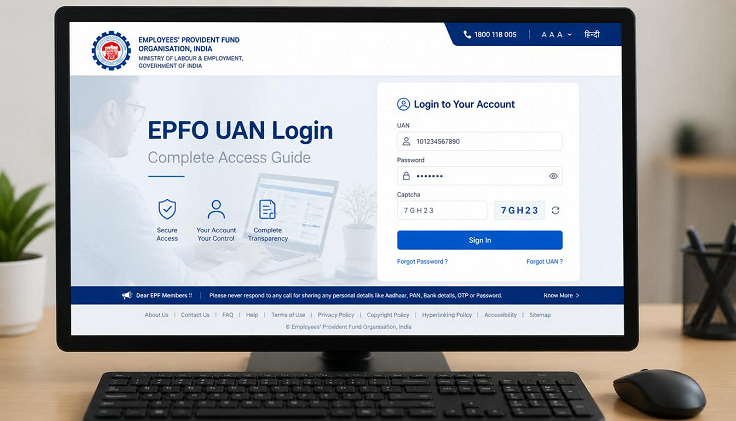
The Universal Account Number (UAN) login system has transformed the way EPFO members access and manage their Provident Fund accounts. Before the introduction of UAN, employees often had separate PF account numbers for every employer, making account management difficult. Today, a single UAN connects all your PF accounts and provides access to various EPFO online services through one secure login. This guide explains everything you need to know about EPFO UAN login.
What is UAN?
The Universal Account Number (UAN) is a unique 12-digit identification number issued by the Employees’ Provident Fund Organisation (EPFO) to every eligible member.
The UAN remains the same throughout your career, even if you change employers multiple times. All Member IDs issued by different employers are linked under one UAN, making PF account management simple and convenient.
Why is UAN Important?
The UAN offers several advantages to EPFO members.
Some of the major benefits include:
- One login for multiple PF accounts
- Easy PF balance checking
- Online claim submission
- Passbook download
- KYC management
- PF account transfer
- Claim status tracking
- Nomination management
The UAN serves as the primary identity for all EPFO online services.
How to Get Your UAN
If you join an EPF-covered organization for the first time, your employer generally generates your UAN while enrolling you under the EPF Scheme.
If you already have a UAN from a previous employer, you should share it with your new employer instead of requesting a new one.
Members who do not know their UAN can retrieve it through the EPFO portal using their Member ID, Aadhaar number, PAN, or registered mobile number.
UAN Activation Process
Before using EPFO online services, members must activate their UAN.
The activation process includes:
- Visiting the EPFO Member Portal.
- Selecting the “Activate UAN” option.
- Entering your UAN or Member ID.
- Providing personal details.
- Verifying your registered mobile number using OTP.
- Creating a secure password.
- Completing the activation process.
After activation, members can log in to the EPFO portal anytime.
How to Log in Using UAN
Follow these steps to access your EPFO account:
- Visit the official EPFO Member Portal.
- Click on “Member Login”.
- Enter your UAN.
- Enter your password.
- Complete the CAPTCHA verification.
- Click “Sign In”.
After successful login, you will be redirected to your member dashboard.
First-Time Login
During your first login, you may be asked to verify or update certain information.
Members should:
- Check personal details.
- Verify linked Member IDs.
- Complete pending KYC.
- Update contact information.
- Review nomination details.
Completing these tasks ensures uninterrupted access to EPFO services.
Linking Your Mobile Number
Your registered mobile number plays an important role in account security.
It is used for:
- OTP verification
- Password recovery
- Claim authentication
- Security alerts
- Important EPFO notifications
Members should always keep their mobile number updated.
Aadhaar Linking
Linking Aadhaar with UAN enables several online services and simplifies claim processing.
Benefits of Aadhaar linking include:
- Faster claim settlement
- Online KYC verification
- Identity authentication
- Easier account management
Members can update Aadhaar details through the UAN portal.
PAN Linking
PAN linking is recommended for members who wish to maintain complete KYC records.
A verified PAN helps in:
- Tax compliance
- Processing eligible withdrawals
- Identity verification
- Maintaining accurate member records
The PAN can be linked through the “Manage KYC” section after login.
Bank Account Linking
Members should link their bank account with their UAN to receive PF claim payments directly.
The required details generally include:
- Bank account number
- IFSC code
- Account holder’s name
Correct bank details help avoid delays during claim settlement.
Password Management
Your UAN password protects access to your PF account.
For better security:
- Use a strong password.
- Avoid sharing your password.
- Change it regularly.
- Do not use easily guessed information.
Strong passwords help protect sensitive financial information.
Forgot Password
If you forget your password, you can easily reset it.
The recovery process usually involves:
- Clicking “Forgot Password”.
- Entering your UAN.
- Verifying your registered mobile number through OTP.
- Creating a new password.
Once completed, you can log in using the new password.
Common UAN Login Problems
Members may occasionally experience login issues.
Common reasons include:
- Incorrect UAN
- Wrong password
- CAPTCHA errors
- UAN not activated
- Browser issues
- Temporary server maintenance
Most issues can be resolved by verifying login details or trying again after some time.
Access Through Multiple Devices
The EPFO UAN portal is accessible through:
- Desktop computers
- Laptops
- Smartphones
- Tablets
Members can securely access their accounts from any compatible device using the same login credentials.
Session Security
For security purposes, the EPFO portal automatically logs users out after a period of inactivity.
Members should:
- Complete transactions promptly.
- Log out after use.
- Avoid logging in on public computers.
- Use secure internet connections.
These precautions help protect personal account information.
Must Read – Epfo Basic
Services Available After UAN Login
Once logged in, members can access a wide range of EPFO services, including:
- View EPF Passbook
- Check PF balance
- Submit online claims
- Track claim status
- Transfer PF account
- Update KYC details
- Manage nominations
- Download account statements
- Update profile information
The UAN portal serves as a complete digital platform for PF account management.
Conclusion
The EPFO UAN login system has made Provident Fund management easier, faster, and more transparent for employees. With a single UAN, members can access multiple EPFO services, monitor contributions, submit claims, update KYC, and manage retirement savings from anywhere. By activating your UAN, maintaining updated information, and regularly logging into the portal, you can ensure that your PF account remains secure while making the most of the digital services provided by EPFO.